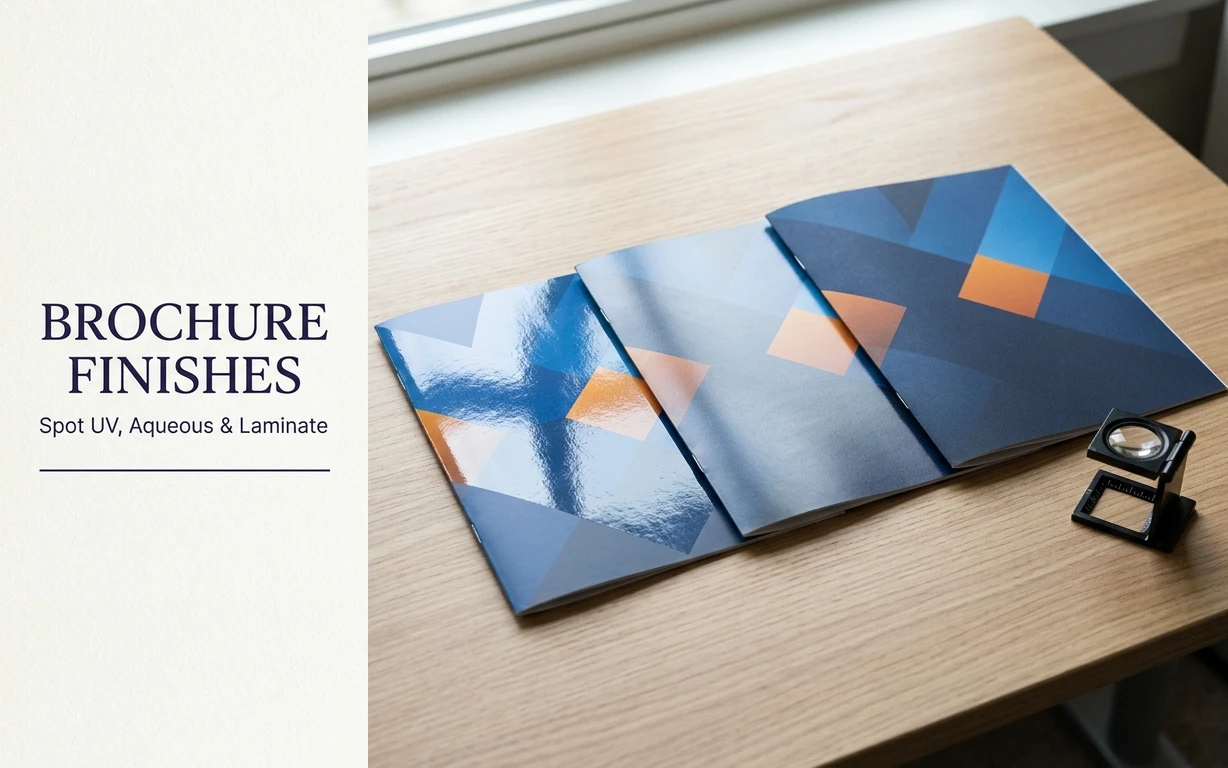
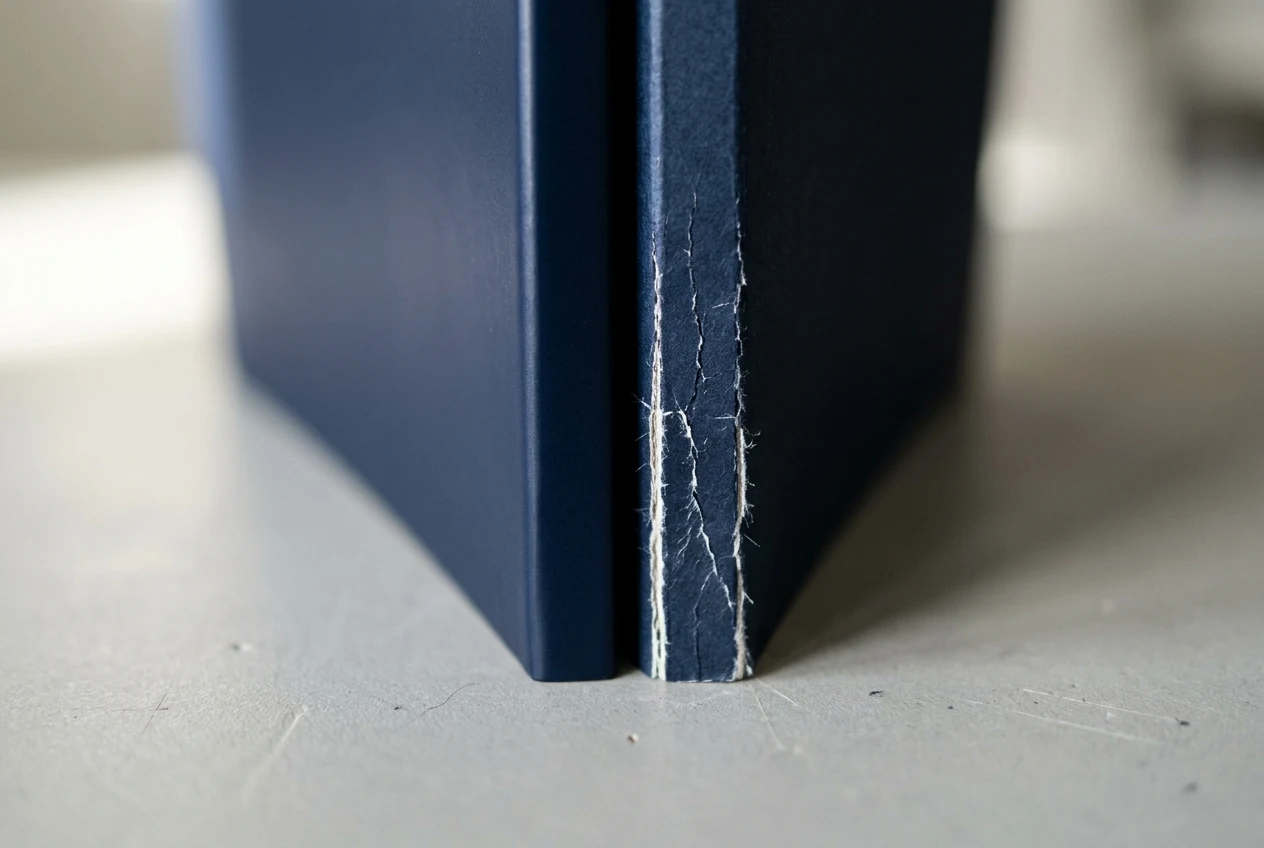
In postpress finishing, mismatch between the finish, stock, grain direction, or ink system, failure usually shows up at the bindery through cracked spines, peeling laminate, inadequate foil transfer, or weak pocket adhesion. In flood coats, aqueous and UV coatings provide scuff resistance but do not add structural support like film lamination, and at score lines on dark, high-coverage areas they can lead to cracking and ink flaking that exposes white stock underneath. Laminates do not crack when folded and double-sided lamination can encapsulate a print for water resistance, although polyester (PET) laminates can be too rigid for folding applications. When specifying a brochure or presentation-folder finish, use the named comparisons below to review drying and curing mechanics, fold-line behavior, scuff resistance, writability, glue-area knockouts, and prepress Spot UV separation setup. Before choosing the surface treatment, confirm panel fold geometry and substrate selection in the companion guide to brochure fold types and paper weight selection.
Aqueous Coating vs UV Coating vs Film Laminate: Process and Curing Comparison
Match the surface finish to the press delivery method, substrate porosity, and required gloss depth before releasing files to production.
| Finish aspect | Documented behavior |
|---|---|
| Aqueous drying | Aqueous coatings dry when their water component, as much as 60%, is forced to evaporate or is partly absorbed into a porous substrate. |
| UV curing | In UV coatings, 100% of the coating components form the final cured solid coating film when exposed to ultraviolet light. |
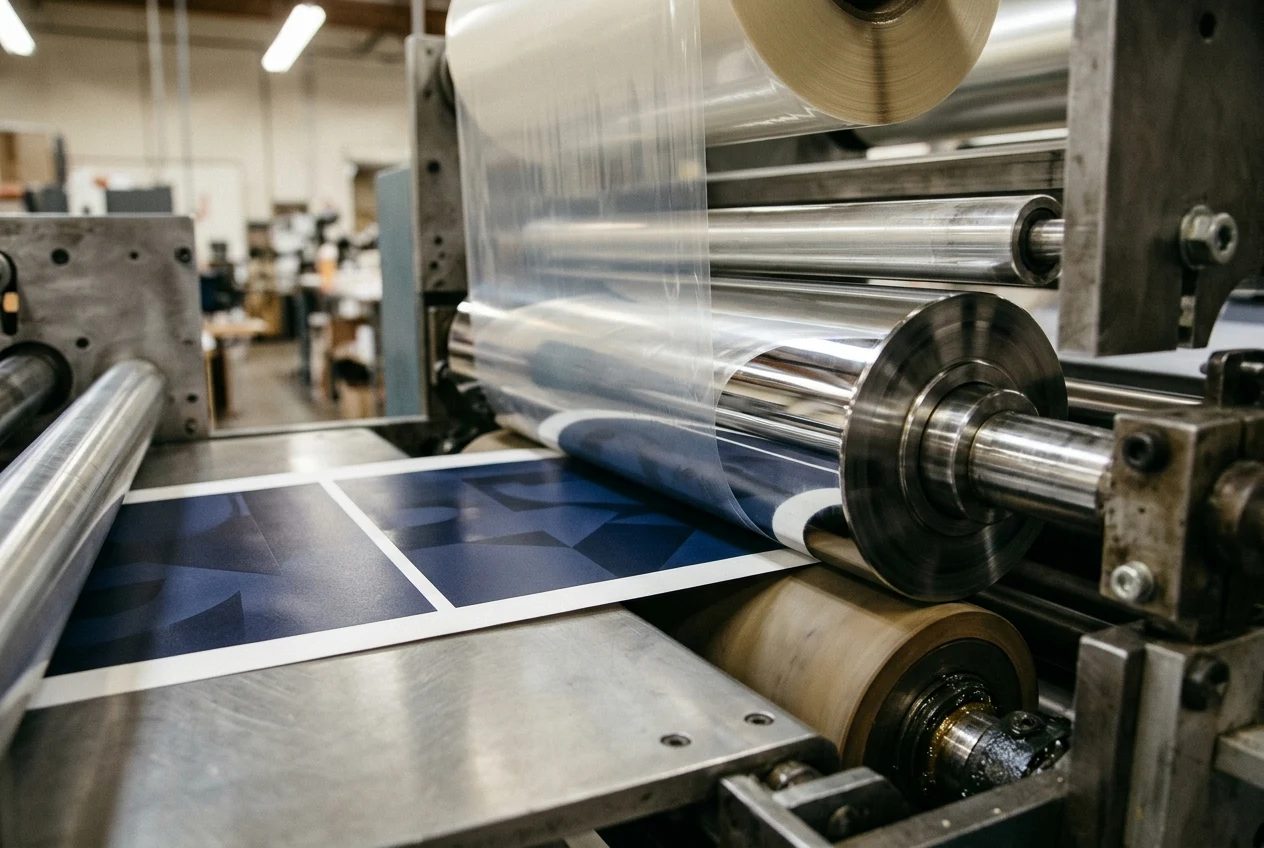
| Thermal lamination | Thermal laminates include a thermally activated adhesive layer that is softened via a heated nip roller before being pressed against the printed substrate. |
| Sheen and depth | Both aqueous and UV coatings offer finishes from high gloss through satin to matte, while UV coatings can offer a significantly higher gloss finish with discernible depth. |
| Surface resistance | Aqueous coatings generally offer good rub, mar, and blocking resistance, whereas UV coatings typically offer greater rub, abrasion, mar, blocking, and chemical resistance. |
| Fiber recovery | Dried aqueous coatings are recyclable, biodegradable, and repulpable, while cured UV coatings are recyclable and repulpable but slower to biodegrade. |
Press Application, Delivery Pile Temperature, and Substrate Compatibility
Web and sheet-fed offset litho paste-ink printing processes require a press-end coater to apply low-viscosity aqueous or UV coatings. Screen processes and off-line coaters are also used to apply UV coatings. For sheet-fed offset inline aqueous coatings, pile temperature needs to be maintained in the range of 85-95° F to avoid softening of the dried coating and potential setoff and blocking. Smartpress states that its flat matte aqueous coating can be susceptible to sticking when print pieces are stacked and that temperature or humidity variations during production can create an inconsistent finish. When UV coating over conventional litho inks is considered, aqueous primers are recommended to seal and adhere to the inks unless hybrid UV/conventional inks are used. To prevent liquid UV coating from being absorbed into the substrate before curing, a UV coating should only be applied to coated paper stocks. Smartpress specifies that UV coating cannot be applied to uncoated stocks and that its Soft Touch laminate can only be applied to cover weight stocks, not text weight stocks.
Scuff Resistance, Burnishing, and Matte vs Soft-Touch Finishes
Use the rub-resistance considerations and named film specifications below when selecting a matte or soft-touch finish.
A soft-touch surface that scuffs too easily, burns where it is rubbed, picks up fingerprints, or shows whitening along high-contact areas can lose its intended look and feel. Because soft-touch coatings have a softer, textured surface, they are inherently more susceptible to visible marking than a hard, high-gloss film. Rub resistance in printed and coated packaging is often evaluated with the ASTM D5264 Sutherland Rub Tester method to compare abrasion resistance under controlled test conditions. Waxes, silicone-based additives, and other slip or mar-resistance additives can reduce surface friction in soft-touch coatings so the surface slides instead of catching, dragging, or burnishing.
Named Thermal Laminating Film Specifications
When specifying a thermal film laminate for a brochure or folder, keep each product code paired with its documented polymer base, caliper, and surface treatment.
| Film parameter | Documented specification |
|---|---|
| Karess construction | Nobelus Karess Laminate (LFSTG) measures 34 microns thick, is made of biaxially oriented polypropylene (BOPP), and can receive post-laminate gluing, spot UV, and embossing. |
| Karess adhesive | Nobelus Karess Laminate (LFSTG) has an EVA adhesive backing that is compatible with offset, flexographic, and HP Indigo inks. |
| Karess caliper | Nobelus Karess Laminate (LFSTG) specifies a thickness of 1.4 mil with a ± 3% tolerance. |
| Karess weight | Nobelus Karess Laminate (LFSTG) specifies a Weight of 31.23 g/m2 with a ± 3% tolerance. |
| Karess gloss | Nobelus Karess Laminate (LFSTG) specifies a Gloss Level at 60° of 3.5 Gloss Units (± 3%) tested to ASTM D2457. |
| Karess surface energy | Nobelus Karess Laminate (LFSTG) specifies a corona-treated Surface Energy of 38 Dyne (± 1 Dyne) on both the Adhesive and Finish sides, tested to ASTM D2578. |
| Karess friction | Nobelus Karess Laminate (LFSTG) specifies a Finish to Finish Dynamic Coefficient of Friction of 0.65 (± 5%) under ASTM D1894. |
| Karess roller heat | Nobelus Karess Laminate (LFSTG) specifies an Application Temperature of 90 - 120 Celsius. |
| Karess elongation | Nobelus Karess Laminate (LFSTG) specifies Elongation at Break of 225% in Machine Direction (MD) and 88% in Transverse Direction (TD), with ± 3% tolerance under ASTM D882. |
Nobelus ScuffProof Laminate (Product ID LFSP) has a hard-coated matt finish that resists scratching, scuffing, and burnishing in transit and on store shelves. Nobelus ScuffProof Laminate (LFSP) measures 30 microns thick, is made of biaxially oriented polypropylene (BOPP) with a thermally activated EVA adhesive layer, and accepts embossing, die cutting, gluing, and spot varnish. Nobelus PlatinumOPP 1.0 mil Matte Laminate is a 1.0 mil BOPP film with EVA adhesive that is corona treated to improve receptiveness to post-lamination overprinting and gluing. Nobelus Karess PET 3.0 mil Laminate uses a 3.0 mil PET film construction with EVA adhesive, while for digital print engines utilizing UV inkjet or toner-based inks and fuser oils, Nobelus points to Karess Printable Laminate With DigiBOND. KDX America offers Premium 1.4mil BOPP Anti-Scuff Matte, Premium 1.4mil BOPP Silky Matte, and Premium 1.4mil BOPP Fingerprint Resistance Matte thermal lamination films. KDX America’s All-Stick 1.5mil BOPP Gloss and All-Stick 1.5mil BOPP Silky Matte use an adhesive system designed to improve bonding on digital printing paper and also advertise stronger peel performance; All-Stick 1.5mil BOPP Matte advertises enhanced digital-print bonding.
Fold-Line Cracking, Spine Bridging, and Delamination Prevention
Review the stock basis weight, score-line behavior, and grain orientation together before approving the folding layout.
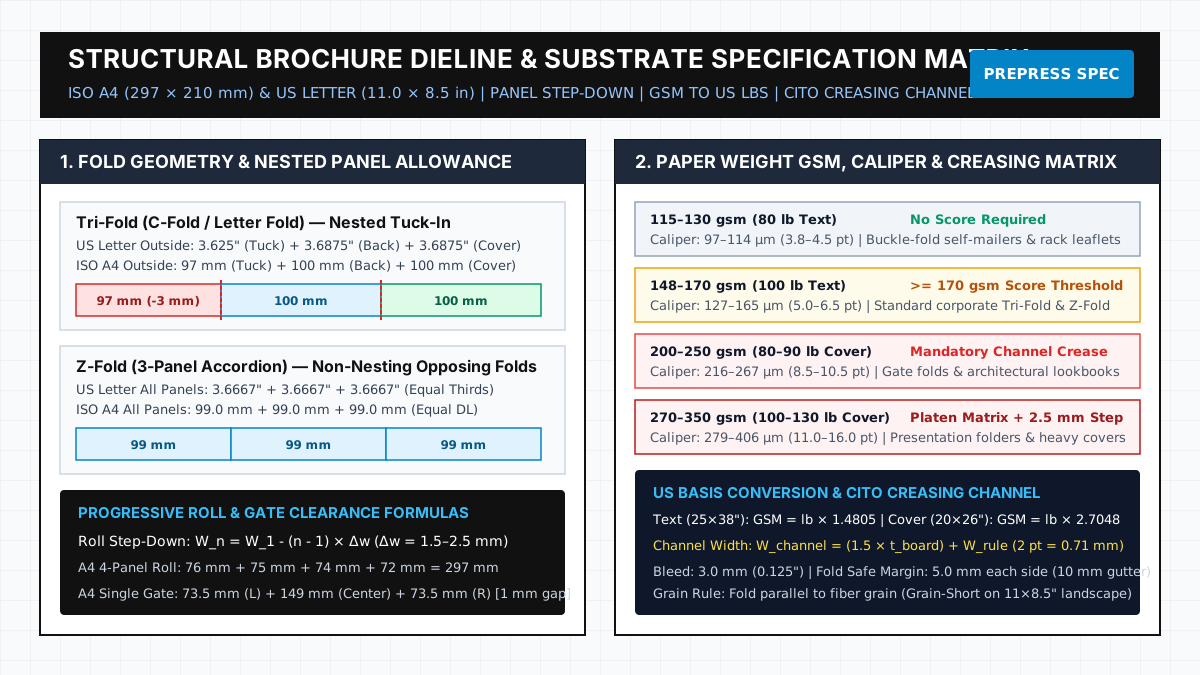
Most presentation folders are made from heavy cover stocks, typically 80 lb to 130 lb cover, which resist folding and require scoring and folding at spines and pocket folds. PostPress states that 80 lb to 130 lb cover stock corresponds to about 215 to 350 GSM. When folded, UV-coated prints tend to crack, becoming visually unattractive and exposing the sheet to damage. When a design uses heavy black, navy, or another dense solid across the spine, film lamination is usually the safer choice, and matte and soft-touch films often are preferred because they help bridge fibers at the score and hide fold stress better than gloss. Paper grain should run parallel to the main score; if it runs short across the spine, no coating or laminate will rescue the fold; the result usually is a rough edge and a stressed hinge.
Writability, Primer Series, and Glue-Area Knockouts
Check the named aqueous coating series and knockout rules below whenever a piece includes writing zones, over-coating, or glued pocket flaps.
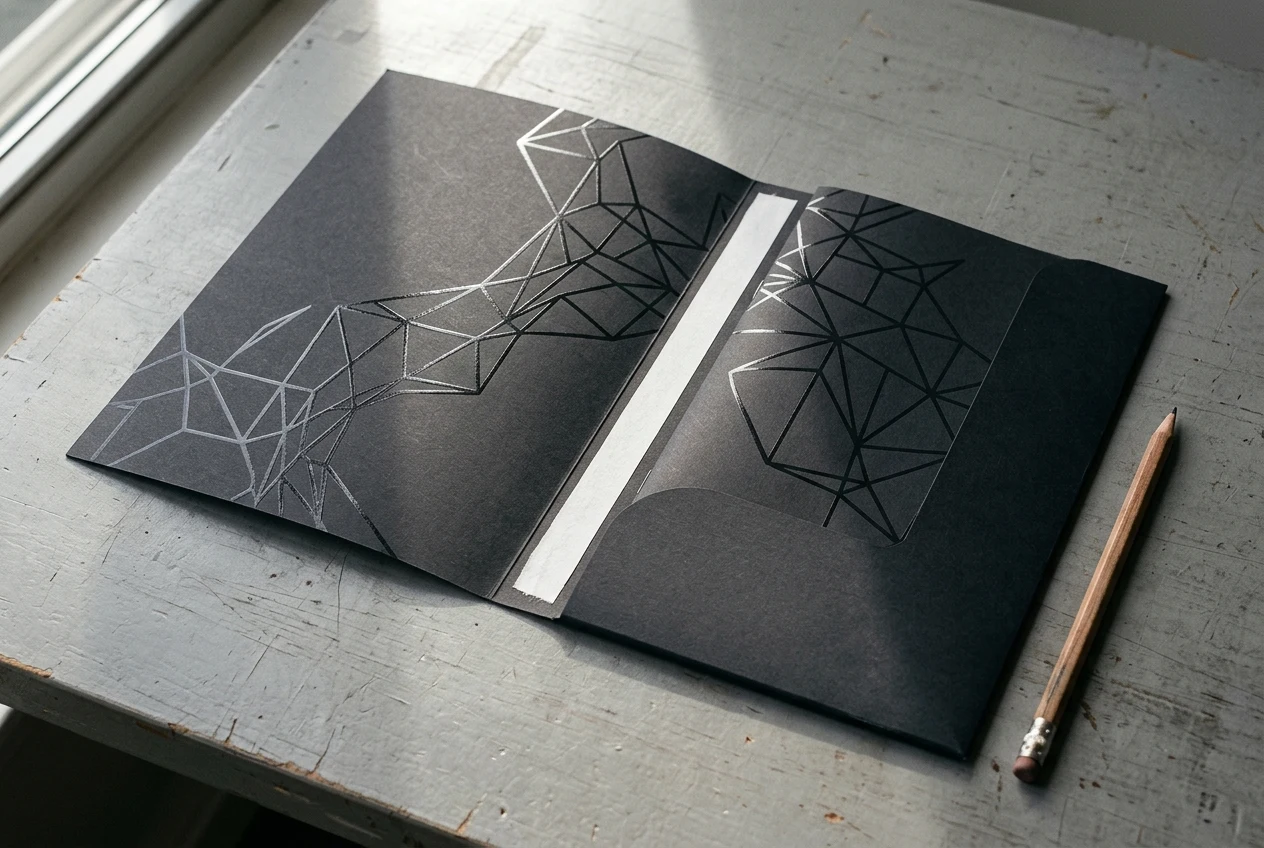
All coatings in Prisco’s Q4000 Series Matte Coatings are pencil-receptive. Prisco’s Q6000 Series Specialty Aqueous Coatings include low- and non-curl, blister-pak, and writeable formulations. Most formulations in Prisco’s Q1000 Series Gloss Work and Turn aqueous coatings allow over-coating of UV coating, oil-based varnishes, and aqueous coatings, permitting spot coating. Other formulations in Prisco’s Q1000 Series Gloss Work and Turn aqueous coatings allow application of film laminates, hot foil stamping, and laser imprinting. Prisco’s Q3000 Series primer coatings form a film with an enhanced ability to accept UV coatings, film laminates, oil-based varnishes, or aqueous coatings compared to standard products. If flood UV or film lamination covers pocket glue areas, the adhesive cannot bond to the paper fibers properly, so glue-area knockouts need to be planned in advance. When spot UV is applied over ink or laminate, surface tension matters; if the surface does not wet out properly, the coating can bead instead of laying down evenly.
Prepress Setup for a Spot UV Mask and Separation Verification
Follow these setup and verification steps when preparing a Spot UV separation plate and reviewing the exported PDF.
- In PrintSafari’s Illustrator Spot UV file setup, the new swatch must be named “Spot UV” with “Spot Color” selected as the color type, Black (K) set to 100%, and C, M, Y set to 0%.
- In PrintSafari’s Spot UV setup, elements receiving Spot UV are duplicated in register using Edit > Copy then Paste in Place (InDesign) on a top layer, assigned the Spot UV swatch, and set to “Overprint Fill” (and “Overprint Stroke” if strokes are used) in the Attributes panel.
- By default in Illustrator, printing opaque overlapping colors causes the top color to knock out the area underneath, whereas overprinting prevents knockout and press misregistration between separate plates can cause gaps between colors.
- In Adobe Acrobat Pro Output Preview, selecting the box next to each separation name previews individual separation plates, and selecting Simulate Overprinting simulates the blending and overprinting of colors in the color-separated output.
Once the Spot UV separation plate and overprint attributes pass inspection, assemble the native layout, linked graphics, and reference proof using the InDesign file packaging and handoff checklist.
Brochure Coating and Lamination Specification Checklist
Copy this specification record into the brochure production brief to align the design team, prepress operator, and bindery before printing.
- Selected finish and product code: record the chosen coating series or thermal film code on the job ticket.
- Substrate and grain direction: enter the paper stock and the grain orientation relative to the primary fold score.
- Spine and score treatment: record the finish and scoring plan for panels that cross a folded spine.
- Ink and primer compatibility: record the printing process and any required primer or adhesive specification.
- Knockout zones: list all pocket glue flaps and writing areas excluded from the finish plate.
- Spot UV separation check: record the spot swatch name, layer placement, overprint status, and separation preview outcome.
Explore more print design and prepress production guides to coordinate layout hierarchy, color separations, and bindery finishing.
Sources
- Cork Industries — Notable Differences Between Aqueous Coatings and UV Coatings
- Prisco — Aqueous Coatings
- Ascent Chemicals — Soft-Touch Aqueous Coatings and Rub Resistance
- Nobelus — Karess Thermal Laminate Specification Sheet
- Nobelus — ScuffProof Laminate Product Specification
- Nobelus — PlatinumOPP Matte Laminate
- Nobelus — Karess PET Laminate
- Nobelus University — How to Choose a Finish: Lamination vs. UV Coating
- KDX America — BOPP Thermal Film Specifications
- PostPress Magazine — Premium Finishing for Presentation Folders: Foil, Embossing, UV and Lamination
- Smartpress — UV Coating vs. Laminate
- PrintSafari — Spot UV Printing Prepress and File Setup Guide
- Adobe — How to use overprinting in Illustrator
- Adobe — Previewing output in Adobe Acrobat Pro